How does get88 work?
Last updated:
get88 helps you look for regional work for your 88 days by sending your approved application and CV from your Gmail. Your ready-made email is editable before you start.
How do I set it up?
About 5 minutes with your CV ready.
Choose your work and locations.
Save the work you want and the places you can work. get88 uses these preferences to order employers.
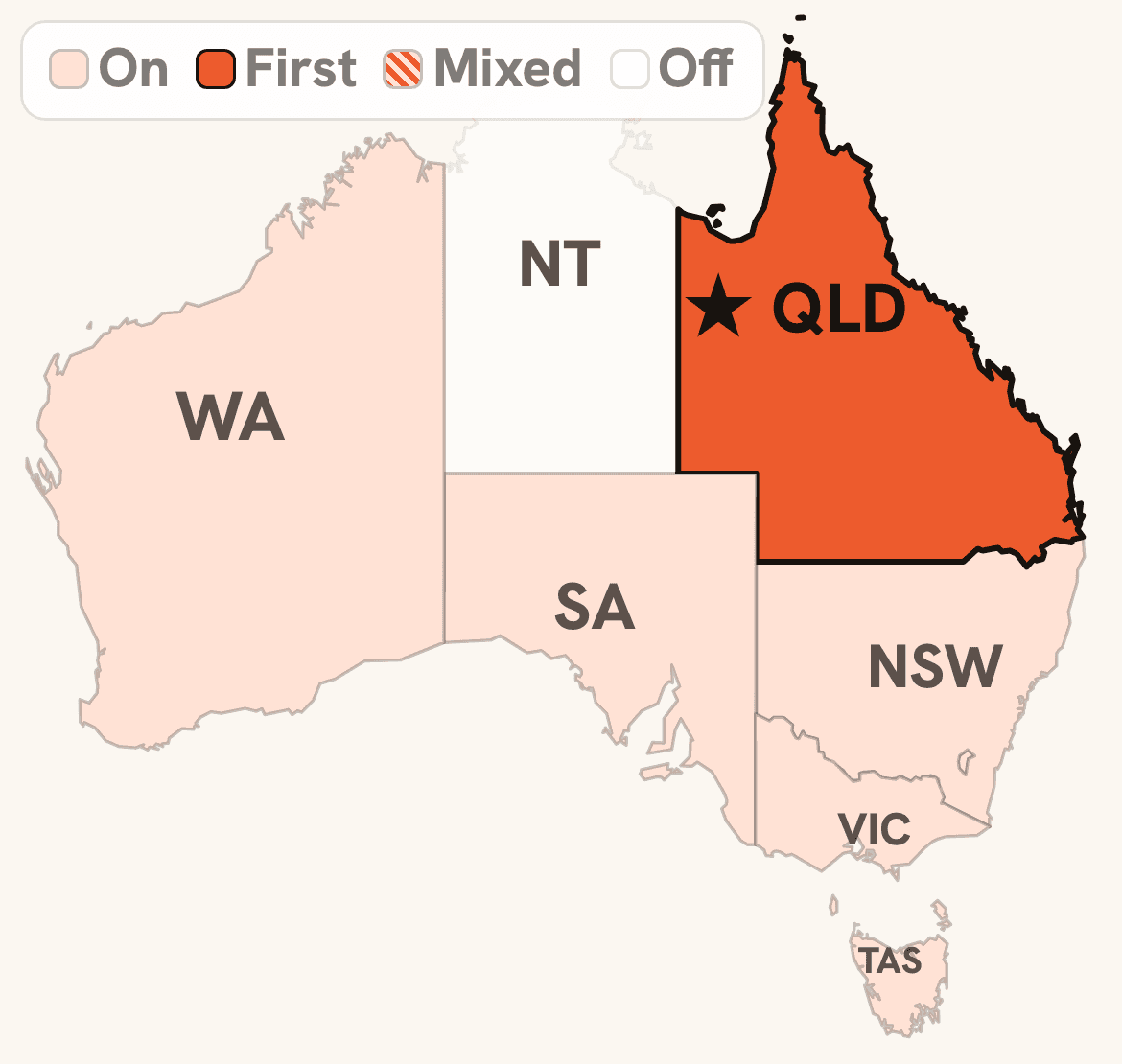
Add your details and upload your CV.
Get free feedback to improve your CV, make any changes, then upload your approved version. It is automatically attached to every email.

Review the ready-made email.
Edit the subject or message before you approve it. The message shown is an example.
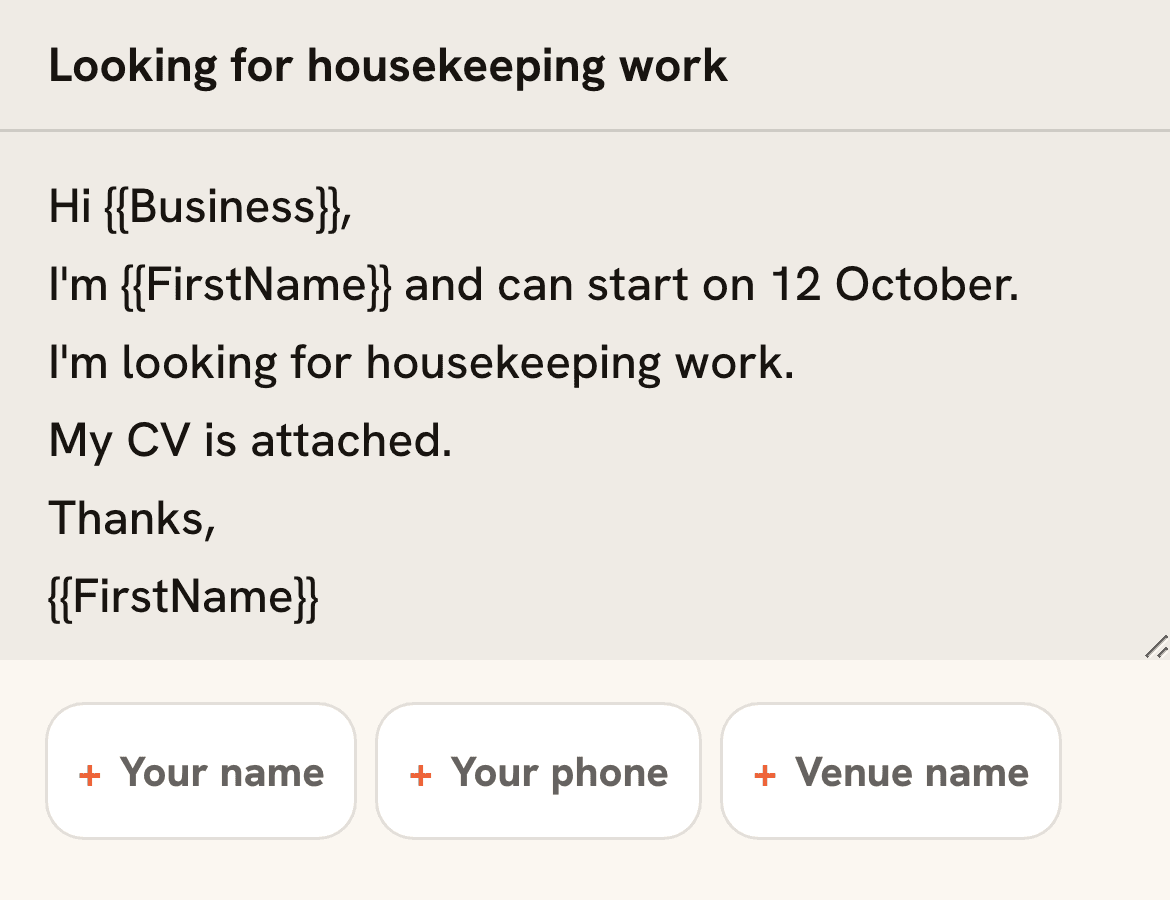
Connect Gmail and check your test.
Connect Gmail with permission to send, then check a test email and CV in your own inbox. This Gmail can differ from your sign-in email.
Press Start sending.
- get88 sends your applications automatically.
- Employer replies go to your Gmail.
- You handle replies and follow-ups.
What get88 handles for you
You can ask suitable employers about work before they publish a job advert.
| Task | On your own | With get88 |
|---|---|---|
| Contacts | Find and copy addresses | Matched to your preferences |
| Write and adapt your email | Ready-made, editable template | |
| CV feedback | Review your CV yourself | Free feedback to improve your CV |
| Attach CV | Attach it to each email | Automatically attached to every email |
| Sending | Send each email yourself | Up to 100 emails a day |
Up to 100 emails a day with the Get88 Method. Free sending includes 100 applications in total, up to 5 a day.
Use the application email template and annotated example for writing tips. Your ready-made email is already in setup. If you also want advertised vacancies, the job-platform comparison explains how those routes fit alongside direct employer contact.
Application limits and pricing
Start free
- 100 automated applications in total.
- Up to 5 applications a day.
- No card required.
- Browse the shared free employer library.
The Get88 Method
A$49 AUD once
- Lifetime access to the full employer roster.
- Six-week campaigns, up to 100 applications a day.
- Manual campaign restarts at no extra cost.
Both tiers need completed setup, your approved message and CV, and connected Gmail. Applications send in preference order; replies reach your inbox. Employer availability and Google quota affect sending.
Questions before you start
Can I use it without needing 88 days?
Yes. get88.au also suits regional or backpacker-type job searches without an 88-day goal or a working holiday visa, when the available employers match your role and location. Check coverage before planning a campaign. You need the appropriate permission to work before starting a job; get88 does not arrange visas or sponsorship.
Save your work and region preferences in Automation, or browse the shared free employer library and apply on your own. Browsing the library does not change your Automation preferences or start applications.
How do I find regional work for my 88 days?
For your 88-day hospitality search, we check employer locations against the official work areas. get88 helps you find and contact regional employers across Queensland, the Northern Territory, Western Australia, South Australia, Tasmania and New South Wales. Coverage varies by town and role. Set your work and region preferences, approve your message and CV, then get88 sends individual applications from your Gmail to the hand-verified employers on the list for you. The Get88 Method can send up to 100 personalised applications a day. Paid campaigns are ranked around your setup before sending, and recently used venues cool down before another get88 campaign can send to them.
Each state has a page listing its towns by venue count. Browse regional work in the Northern Territory or a town page such as hospitality venues in Darwin.
Applications sent, but no replies?
Before increasing volume, check employer fit, the hiring contact, your message and CV, availability and any sending errors. Work through the no-reply checklist and use Resume Check to review your CV. Change what you can verify and check your application history in the dashboard; a larger batch cannot fix an unsuitable target or a missing attachment.
What does get88 not do?
- Employer contacts, not confirmed vacancies. Coverage varies by town and role. Check the list for employers that match your search, then ask them about current opportunities.
- No job guarantees. get88 sends the applications; whether a venue is hiring that week is out of anyone's hands.
- No blasting. Emails go out one at a time, up to 100 a day, with no BCC or mailing list. New campaigns target new employers by default. An owner of the Get88 Method must choose explicitly to contact previous employers again.
- No reading your inbox. get88 never sees your password and has no permission to read your Gmail or contacts. Replies stay between you and the venue.
Read the FAQ for answers about refunds, Google permissions and whether get88 is legitimate.
Whether your work counts also depends on your role and visa. See the 417 and 462 specified-work rules.
Ready to start your applications?
Start 100 free applications in total from your Gmail, up to 5 a day. No card required.
Start free applications